
Capability
Studio Sound
Studio Sound runs DeepFilterNet 3 on your Mac to separate speech from room noise. Pick a strength, generate, then play the original against the enhanced copy before you keep either. It writes a separate file, so the recording underneath is never modified, and it costs processing time rather than credits.
What Studio Sound is for
Room tone, a noisy desk fan and the hollow edge of a small hard room are what it is for. The model is DeepFilterNet 3, running at 48 kHz as a local executable shipped inside Rooster, so the sheet's "DeepFilterNet 3 · 48 kHz · on-device" footnote is a description of where the work happens rather than a promise about a server.
There are two settings. Restoration strength is Natural, Balanced or Strong, which is how far the noise is allowed to be pushed down. Voice polish, on by default, tightens low rumble and adds a little speech presence on top of the separation.
Generate, and a progress line runs while speech is separated from room noise - the sheet warns that long videos take several minutes, because they do. When it finishes you get two play buttons, Original and Studio Sound, and you decide from listening rather than from a waveform.
Keeping it points the project's primary video at the enhanced copy, which Rooster records as an asset derived from the original. The file you recorded is never modified. If you do not like it, Try different settings runs it again at another strength.
What is on screen
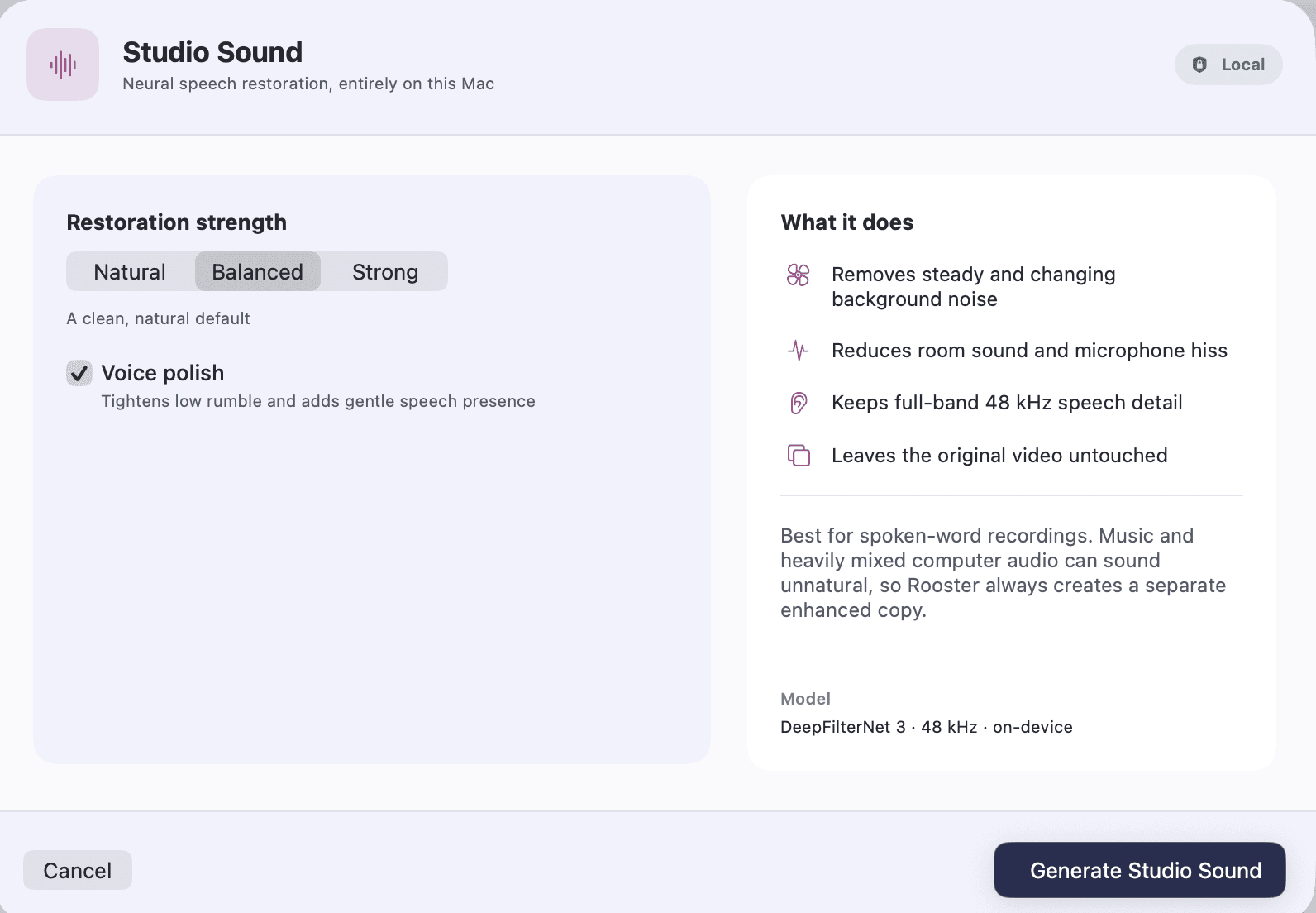
Restoration strength
Natural, Balanced or Strong, chosen before the run rather than tuned afterwards. Balanced is the default.
Voice polish
A toggle, on by default, that tightens low rumble and adds gentle speech presence after the separation has run.
Progress and Stop
A progress line while the model runs, with Stop beside it, and a note that long videos may take several minutes.
A and B playback
Two buttons, Original and Studio Sound, playing the same passage, so what you keep is what you heard.
Use enhanced version, or try different settings
Keeping it points the project at the enhanced copy. Trying again runs the model at a different strength against the same original.
Where it opens from
The Enhance menu in the menu bar, and the effects panel in the editor's rail.
Every capability Rooster ships is listed on the features page, and how the work is split between your Mac and everything else is on how it works.
How to use it
Clean up voice audio with Studio Sound
Remove background noise, room echo and hiss from a recording with Studio Sound, on your Mac, then compare it with the original before you use it.
What it does not do
- Studio Sound runs on the project's primary recording. It is not a per-clip effect you can apply to one piece of B-roll or one music track on its own lane.
- Keeping the enhanced version is not an undo step. Your original recording is untouched on disk and you can run the model again at another strength, but Undo does not take it back.
- It is built for spoken word. Music and heavily mixed computer audio can sound unnatural through it, which is one reason Rooster always writes a separate enhanced copy rather than replacing anything.
- It costs time on your own machine rather than credits, and a long video costs several minutes of it.
- There is no manual equaliser, compressor or noise gate here. Strength and voice polish are the two controls, deliberately - and loudness is a separate question, answered once on the export sheet rather than per clip.
This list is here because the alternative is a reader installing Rooster and finding out. If one of these is the job you need done, the alternatives page ranks tools that do it.
Frequently asked questions
Does my audio go to a server?
No. The DeepFilterNet executable ships inside Rooster and runs on your Mac. Nothing is uploaded to clean up a recording, and there is no account or credit balance involved.
Does it change my original recording?
No. Rooster writes a separate enhanced file and points the project at it, recording it as an asset derived from the original. The file you recorded stays exactly as it was.
How long does it take?
It depends on your Mac and the length of the video, and Rooster does not pretend otherwise: it shows progress while it runs and warns that long videos may take several minutes.
Can I hear it before I keep it?
Yes, and that is the point of the sheet. When the run finishes you get Original and Studio Sound play buttons, and nothing is applied to the project until you press Use enhanced version.
Will it work on music?
It is not built for it. Music and heavily mixed computer audio can come back sounding unnatural, and the sheet says so where you are about to press the button.
The rest of the loop
Screen recording on your Mac
A display or one window, with Mac audio and your microphone, cropped to the shape you are publishing in.
Transcription that runs on your Mac
Parakeet or whisper.cpp running in Rooster's own process, with the word timings the rest of the editor is built on.
Captions from your own transcript
Four presets over the transcript's own timings, adjustable down to the outline, burned into the export and written as SRT and VTT.
Removing filler words
Every hesitation in the transcript, played in context, cut as one undoable step when you approve it.
Eye Contact
A restrained, on-device gaze correction with three strengths and A/B playback. Beta, and labelled so in the app.
The teleprompter in Rooster's recorder
A script window opened from the recorder that scrolls continuously, keeps the script with the project, and has mirror and flip settings for a beam splitter.