
How it works
Local-first, and how to check it
Plenty of tools say your data is safe with them. Rooster’s claim is different and duller: your media is not with us at all. This page explains what runs where, so the claim can be tested rather than believed.
What runs on your Mac
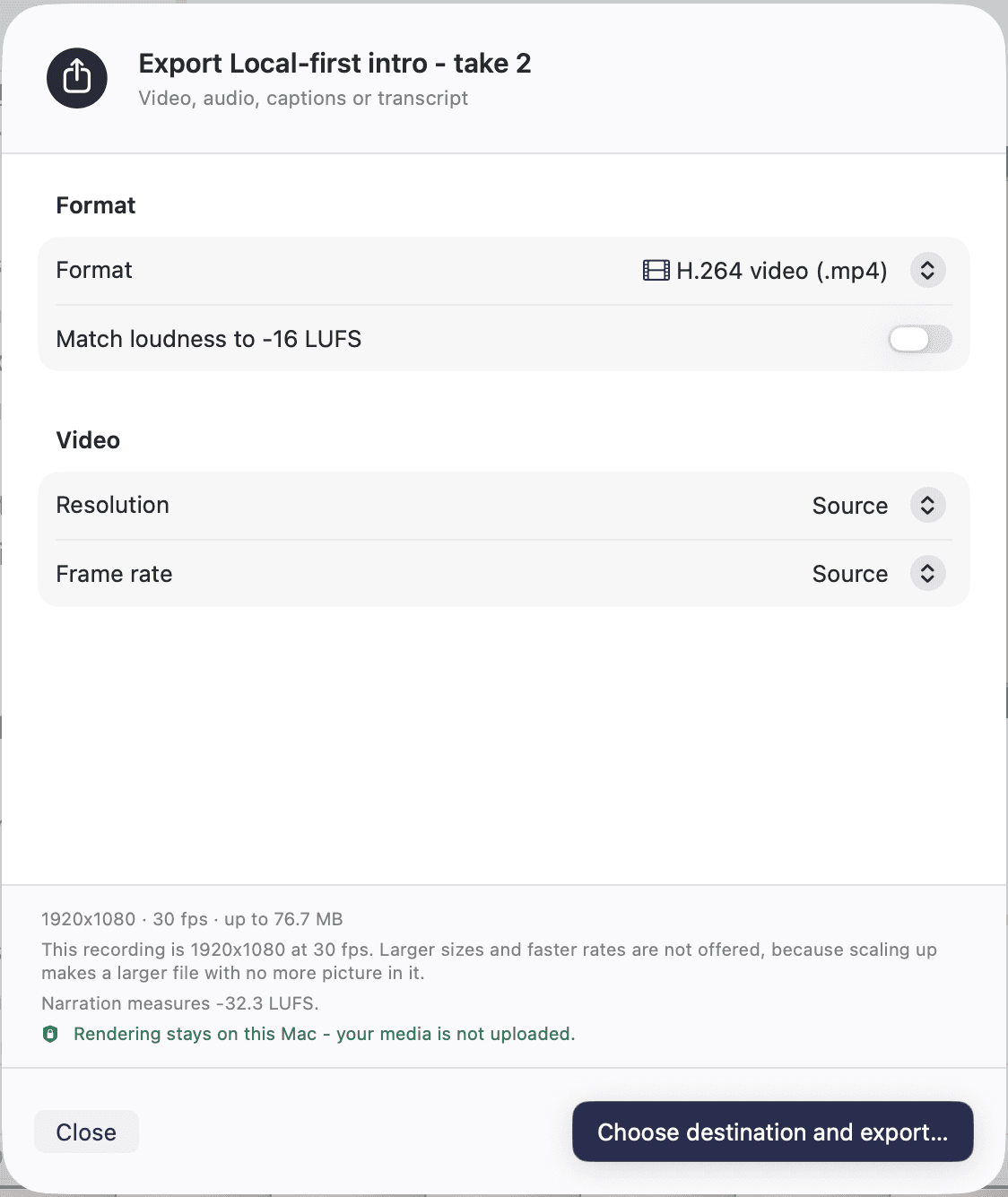
Transcription runs inside the application, on your own processor and Neural Engine. So do Studio Sound, Eye Contact and Green Screen. Rooster composes the preview and renders the export locally too, from the same edit graph, so nothing is queued to a render farm and nothing waits on someone else’s GPU.
There is no account to create and no project to sync. Rooster has no server that holds your work, which is a design decision rather than a feature we have not built yet.
What uses the network
Six things, and they are the whole list. Rooster downloads a transcription model the first time it needs one. The copy you download from this site asks rooster.cam whether a newer version exists, once you have said it may. If you press Send in the Send Feedback box, what goes to rooster.cam is your message, your email address if you gave one, and four facts about the build - the Rooster version, the build number, how you got the copy and your macOS version - which the box shows you before you send. Nothing else. If you choose to supply an API key for a third-party transcription service, audio goes to that service because you asked it to. If you choose to save a fal.ai key and generate a B-roll clip, your prompt goes to fal.ai because you asked it to, and the clip comes back. And when Rooster goes on sale, buying it and activating a licence will use the network: the payment is taken by a merchant of record acting as the seller, and where Rooster is later sold through the Mac App Store, Apple handles that purchase instead. The privacy page sets out each of these in detail.
How to check it yourself
Open a project, let Rooster finish downloading its transcription model, then turn off Wi-Fi and pull the ethernet cable. Import a recording, transcribe it, cut it, caption it and export it. All of it still works, because none of it needed us. That is the whole argument, and it takes about five minutes to confirm.
Your files stay yours
Recordings and imported media are treated as immutable: Rooster never rewrites your source files. Edits live in the project as a versioned edit graph, and exports are written as new files, by default to your Downloads folder. Rooster will not silently overwrite something that is already there. If you stop using Rooster tomorrow, your originals and your exports are ordinary files in ordinary folders.
Reporting a problem
If you find a security or privacy problem in Rooster, please write to support@rooster.cam and give us a reasonable chance to fix it before publishing. We would rather hear about it from you than read about it somewhere else, and we will credit you if you would like us to.